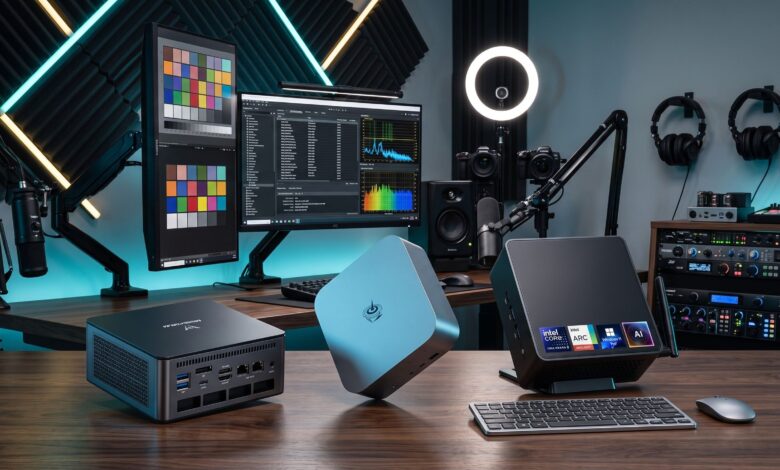
Why Buyers Are Looking Beyond Apple for Compact Desktops: The Rise of Windows Mini PCs
The compact desktop segment has long been defined in popular consciousness by Apple’s Mac mini family. Renowned for space-saving designs and efficient performance, Apple’s small-form-factor devices set an early benchmark for clean, minimalist workspace setups. However, as user workloads become more varied and computing requirements evolve, a growing number of consumers, professionals, and IT managers are evaluating alternative hardware paths. Apple’s architectural choices—specifically fixed, non-upgradeable memory, integrated storage, and relatively restricted port selections—have highlighted clear operational trade-offs for users seeking flexibility and long-term expandability.
In response, the ecosystem of Windows-powered mini PCs has expanded rapidly. Specialized hardware manufacturers and established computing brands now offer micro-desktops designed to match or exceed traditional form-factor expectations while providing open component accessibility, versatile networking interfaces, and broad price choices. Understanding why these machines are attracting attention requires examining hardware expandability, high-bandwidth connectivity options, and how performance scales across different market segments.
The Case Against Rigid Hardware Architecture
For many creative professionals, remote workers, and enterprise buyers, the primary hurdle with proprietary compact desktops is non-repairable and non-upgradeable internal architecture. When purchasing a machine with fully integrated hardware, buyers must accurately forecast their computational needs for the entire operational life of the device. Upgrading system RAM or expanding solid-state drive capacity after purchase is typically impossible because memory modules and storage controllers are soldered directly into the main silicon platform.
This design model often forces consumers to pay substantial upfront premiums for higher-tier memory and storage configurations at the point of sale. In contrast, modern Windows mini PCs emphasize modular chassis design. Users can easily access internal drive bays and memory slots, enabling straightforward hardware upgrades as software demands grow. The ability to install off-the-shelf DDR memory or add secondary M.2 NVMe SSDs extends the usable lifespan of the hardware and offers a far more adaptable investment over time.
Expanding Connectivity and External Graphics Opportunities
Port selection and external peripheral support represent another critical area of distinction between traditional proprietary mini desktops and their Windows counterparts. While ultra-minimalist designs often rely heavily on dongles, hubs, and external docks to connect standard workstation peripherals, modern Windows mini PCs frequently integrate high-bandwidth interfaces directly onto the motherboard standard connectivity panel.
Key among these advance interface standards are high-speed connectivity options that expand what a small desktop can accomplish:
- USB4 Integration: Delivers multi-gigabit data throughput, fast external drive performance, and high-resolution display outputs through a single universal connector interface.
- OCuLink Support: Optical Copper Link (OCuLink) provides a direct, high-bandwidth PCI Express connection to external hardware. This interface enables users to attach external dedicated graphics processing units (eGPUs) with substantially lower performance overhead and lower latency than traditional bus connections, converting a tiny desktop into a workstation capable of heavy 3D rendering or high-end graphics processing.
- Dual 2.5GbE Networking: Incorporating dual 2.5 Gigabit Ethernet ports allows power users and system administrators to manage separate network segments, run hardware firewalls, build high-throughput local network storage nodes, or ensure uninterrupted redundant wired connections.
High-Performance Candidates and Workstation Capabilities
Modern mini PCs are no longer restricted to light web browsing or basic media playback. Powered by multi-core processors from AMD, including the high-efficiency Ryzen platform, as well as multi-threaded Intel Core CPUs, small-form-factor systems now manage demanding professional software suites, code compilation, and multi-stream video editing.
Several prominent models demonstrate how manufacturers are tailoring hardware to distinct performance requirements:
- Minisforum UM890 Pro: Engineered for maximum peripheral connectivity and workstation multi-tasking, this machine features two USB4 ports, dedicated OCuLink expansion, dual 2.5GbE Ethernet networking, and sufficient video outputs to drive up to four display monitors simultaneously.
- GMKtec EVO X1: Combines high-bandwidth architecture with comprehensive display and expansion connectivity, bringing together USB4, OCuLink, HDMI, DisplayPort outputs, and dual 2.5GbE networking into an ultra-compact footprint.
- Beelink SER9 Pro: Designed with computational stability and multi-core efficiency in mind, offering a strong balance of processing power for business environments and demanding daily office workflows.
Mid-Range Versatility and Budget Accessibility
A major advantage of the Windows mini PC market is its broad economic spectrum. Rather than locking users into a single premium tier, manufacturers cater to every budget level—from lightweight home office workstations to high-value intermediate platforms.
Entry-level models demonstrate how accessible basic desktop computing has become. Devices such as the GMKtec G10 Mini PC bring functional desktop performance into a price range under $290, making them attractive options for home offices, student desks, or secondary digital workspaces. Moving into the mid-range sector, platforms like the Acemagic K1 deliver an efficient balance of multi-core processing capability and memory capacity without demanding high financial investment.
Furthermore, established PC brands like Asus and Geekom offer comprehensive lines of compact hardware across both Intel and AMD processor architectures. This diversity allows buyers to select specific hardware configurations based on quiet acoustic profiles, specialized thermal designs, or specific enterprise management features.
Evaluating Key Considerations Before Making a Switch
While Windows mini PCs provide significant expandability and connectivity advantages, prospective buyers should carefully evaluate their specific workflow environment before choosing a platform:
- Operating System & Software Dependencies: Software compatibility remains paramount. Users dependent on macOS-exclusive applications must weigh software workflows against hardware expansion goals, while those utilizing cross-platform or Windows-native enterprise tools benefit immediately from platform flexibility.
- Thermal Management & Acoustics: Packing high-performance multi-core CPUs into compact enclosures requires effective thermal dissipation. Reviewing thermal designs and fan noise profiles under full compute loads ensures the machine fits quiet work environments.
- Future Expansion Plans: Checking whether a specific model supports unpopulated memory slots or additional M.2 drive slots ensures that future storage and memory upgrades can be executed smoothly without replacing existing components.
By pairing flexible internal upgrade paths with advanced interface standards like USB4, OCuLink, and dual high-speed Ethernet, the modern landscape of Windows mini PCs offers a versatile, scalable alternative for anyone seeking powerful desktop computing within a minimal physical footprint.